
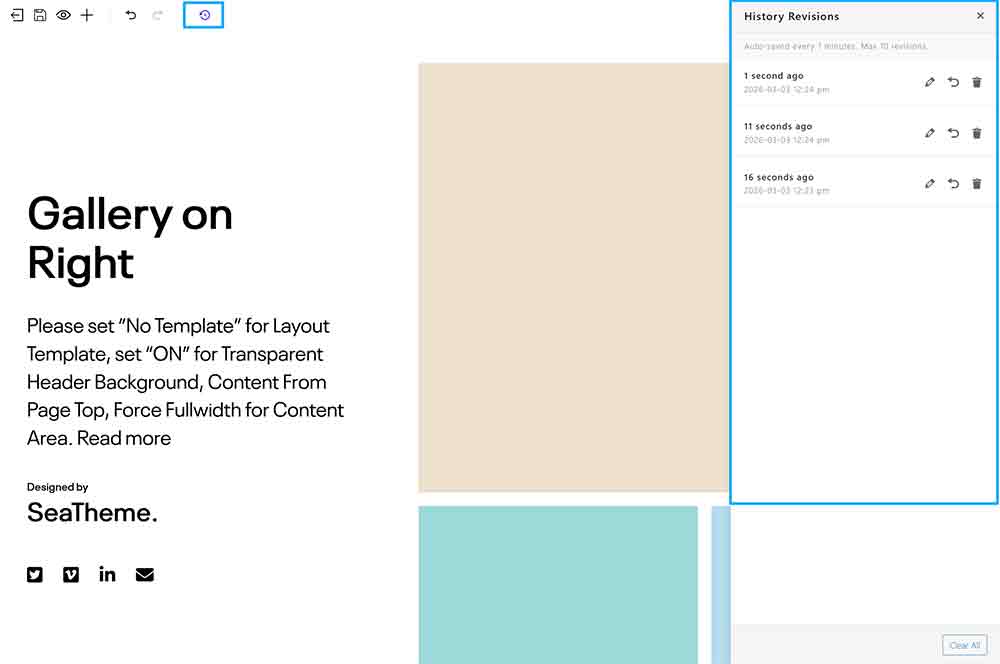
Overview
The feature is got from BM content builder version 3.17.0
The BM content builder’s History Revisions feature allows you to save and restore previous versions of your page content. This is useful for:
- Recovering from mistakes
- Tracking changes over time
- Comparing different versions
- It only applies to version changes in the BM content builder editor and is unrelated to version management in the default WordPress block editor.
Enabling Auto Save
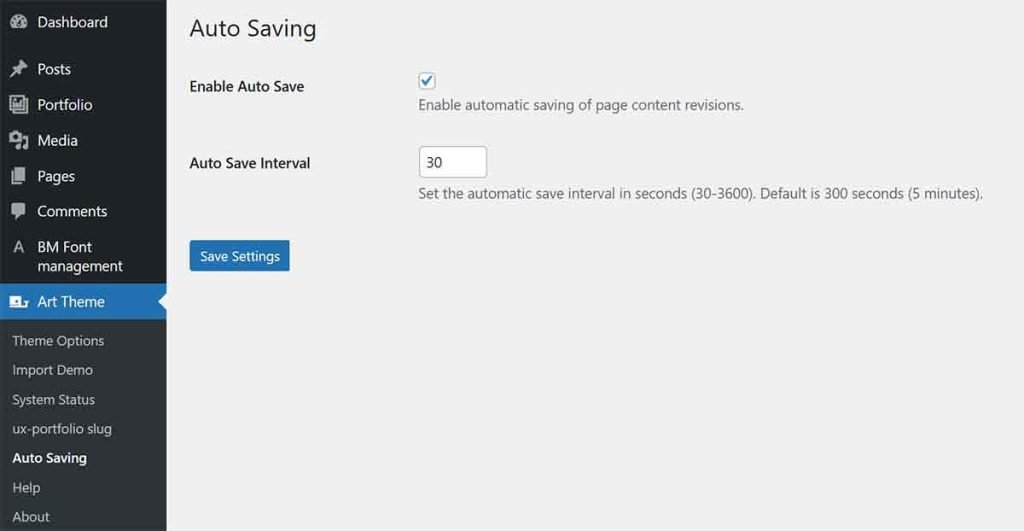
- Navigate to Art Theme(or other theme name) → Auto Saving in WordPress admin
- Check Enable Auto Save to turn on automatic saving
- Set the Auto Save Interval (default: 300 seconds / 5 minutes)
When enabled, the page will automatically save history points at your chosen interval.
History Panel
The HistoryRevisions button (backup icon) will show in the toolbar when you enter the BM content builder, and click it to view all saved revisions.
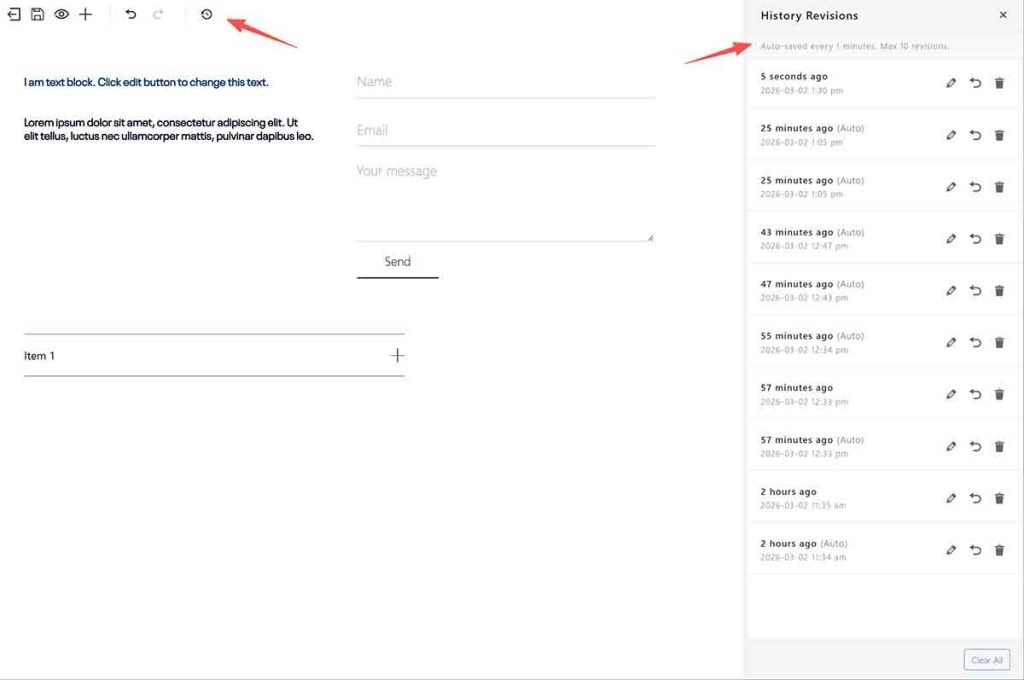
Panel Features
- Restore: Click any revision to preview and restore it
- Rename: Add custom titles to important revisions via clicking the pencil icon
- Delete: Remove individual revisions you no longer need
Manual Save
Every time you click the Save button, a new history point is created (if Auto Save is enabled).
Important Notes
- Maximum 10 history points can be saved
- When the limit is reached, new saves will replace the oldest saved point
- Disabling Auto Save will stop automatic saving, but existing revisions remain available
Keyboard Shortcuts
- Use the History panel to browse and restore previous versions